
Download Aim Trainer – 8 Pool Master of Training, Pool Game Guide, Aiming Skills, Ball Pool Tutorial, Precision Shooting Tool
Overview
Aim Trainer - 8 Pool Master of Training is a specialized desktop application developed by independent creator Clarissa Ives. Designed as a reference and training tool, the software focuses on enhancing users’ aiming and shooting precision in the eight-ball pool game. It is intended for individuals seeking to improve their skills, whether they are aspiring professionals or dedicated hobbyists. The app does not function as a standalone game but is meant to be used in conjunction with real or simulated pool gameplay, offering guidance and feedback to support skill development.
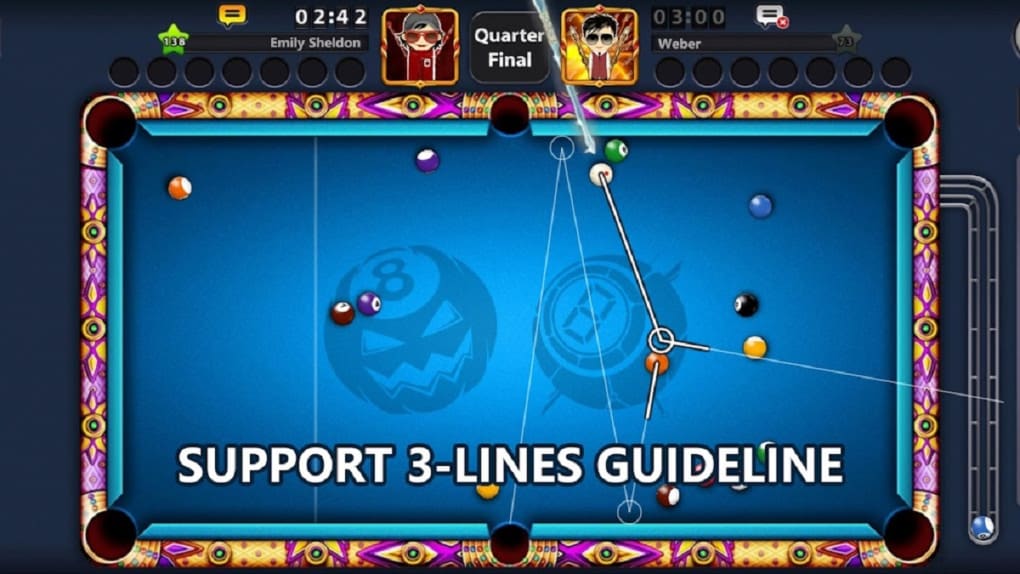
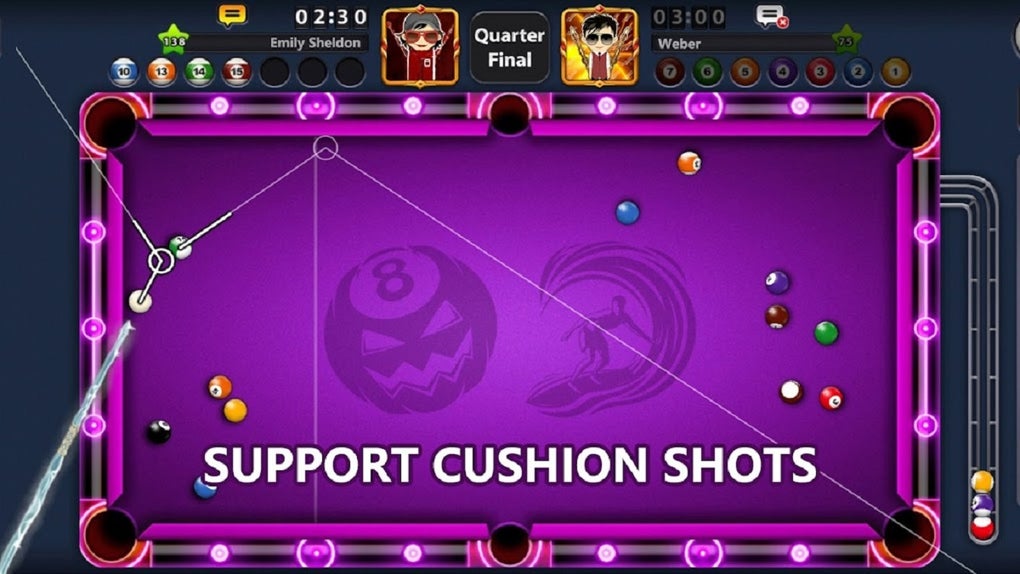
Its primary purpose is to teach advanced techniques such as bank shots, kick shots, and the 3-line trajectory method—a structured approach involving the shot line, pivot line, and aiming line to optimize cue ball positioning and shot accuracy. By providing systematic instruction and real-time visual guidance, the software aims to deepen users’ understanding of ball dynamics and shot planning. The application leverages AI image-recognition technology to analyze the game environment, including ball positions and table layout, and extend visual guidelines in real time. This feature enables users to visualize optimal shot paths instantly, supporting faster decision-making and improved execution.
Target users include serious pool players, training enthusiasts, and those preparing for competitive play. The software is particularly useful for individuals who value precision, strategic thinking, and consistent performance. While the developer did not provide additional system requirements, the app is designed to support practical, on-the-fly training during actual gameplay sessions. It serves as a digital coach, offering structured learning paths and reinforcing muscle memory through consistent application of proven techniques.
Key Features & Capabilities
- Advanced Tutorial Content: Comprehensive instructional modules covering fundamental and complex techniques, including bank shots, kick shots, and shot planning strategies.
- 3-Line Trajectory Method: A structured visualization technique using the shot line, pivot line, and aiming line to determine optimal cue ball paths and target ball placement.
- AI-Powered Image Recognition: Real-time analysis of the pool table environment to detect ball positions, table boundaries, and potential shot trajectories, enabling dynamic guideline extension.
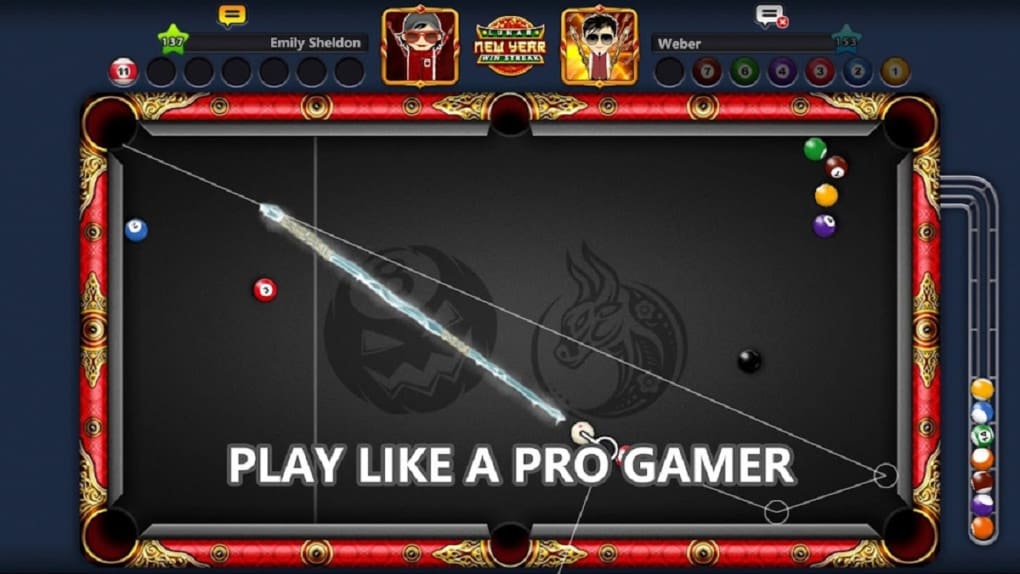
- Real-Time Visual Guidance: Instant feedback through projected lines and path indicators, helping users align their shots with precision during live or simulated play.
- Training-Focused Design: Built specifically for skill development, not standalone gaming—ideal for users who want to practice and refine their technique between games.
These features support practical application in real-world scenarios, such as preparing for tournaments, analyzing difficult shots, or improving consistency during casual play. The AI-driven recognition system allows users to train on physical tables by scanning the environment through a connected device, making it adaptable to various playing conditions. The structured tutorials are designed to be followed step-by-step, helping users build confidence and mastery over time. By integrating theory with visual feedback, the app enhances learning retention and promotes faster skill acquisition.
User Interface, Workflow & Performance
The user interface is designed to support focused training, prioritizing clarity and ease of use. Navigation is likely streamlined to allow quick access to tutorials, technique modes, and visual guidance tools. The layout emphasizes real-time feedback, with visual overlays that appear on screen during gameplay sessions. Users can toggle between different training modes, such as trajectory visualization or technique drills, without disrupting their workflow.
Workflow efficiency is enhanced by the app’s integration with physical or simulated pool environments. By leveraging AI image recognition, the software processes visual input and overlays relevant guidelines instantly, reducing manual calculation time. This supports a smooth, uninterrupted training experience. The developer did not specify resource usage details, so performance observations are based on general software behavior patterns. Users can expect minimal lag during standard use, assuming a stable camera feed and adequate processing power.
Stability is likely maintained through dedicated optimization for training scenarios. However, exact CPU or RAM behavior was not provided. The application appears to be designed for continuous use during extended practice sessions, with a focus on reliability and responsiveness. No reported crashes or bugs were mentioned in the available information.
Compatibility & System Requirements
Aim Trainer - 8 Pool Master of Training is available for Windows and Mac operating systems. The software is designed for desktop use and requires a compatible camera or screen capture device to function effectively. The installation size is listed as 120 MB, indicating a lightweight footprint that should not strain system resources.
Exact system requirements were not listed. The developer did not provide details on minimum processor speed, RAM, or graphics capabilities. Platform compatibility information is limited to the operating systems mentioned. It is recommended to ensure that the device supports camera input and real-time image processing for optimal performance. The app may require access to the camera and microphone for AI analysis, though this was not confirmed.
Pros and Cons
Pros
- Specialized focus on improving aiming and shooting precision in eight-ball pool.
- Includes advanced techniques like bank shots, kick shots, and the 3-line trajectory method.
- Uses AI image recognition for real-time visual guidance and dynamic shot path analysis.
- Designed as a training companion, not a game—ideal for serious skill development.
- Lightweight installation size (120 MB) and optimized for desktop use.
Cons
- Exact system requirements were not specified.
- Camera or screen capture device required for full functionality.
- Not suitable for standalone gameplay; must be used alongside actual pool sessions.
- Developer details are limited to the name Clarissa Ives—no additional company or support history provided.
- Performance under low-light or complex table conditions was not tested or documented.
FAQ Section
Is Aim Trainer compatible with all pool tables?
The app is designed to work with physical eight-ball pool tables when paired with a compatible camera or screen capture device. Performance may vary depending on lighting, table size, and camera resolution.
Does the app require an internet connection?
While the software uses AI image recognition, the developer did not specify whether real-time processing requires an internet connection. It may function offline after initial setup, but this was not confirmed.
Can I use Aim Trainer without a camera?
No. The app relies on visual input from a camera or screen capture to analyze the table layout and ball positions. A camera is required for full functionality.
Is the software safe to download and use?
Based on the available information, the app is developed by an independent creator and distributed as a desktop utility. No security vulnerabilities were reported. Users should download from official sources to ensure authenticity.
How often are updates released?
The developer did not provide information on update frequency. Users should check the official source for the latest version and any new features or improvements.
Final Thoughts
Aim Trainer - 8 Pool Master of Training stands out as a focused, intelligent tool for players committed to mastering the technical aspects of eight-ball pool. Its integration of advanced training methods, real-time AI-guided visualization, and structured tutorials offers a unique edge for serious players. The app’s emphasis on precision, strategic planning, and practical application makes it a valuable asset for both beginners and experienced players aiming to refine their skills.
While system requirements and update details are limited, the lightweight design and specialized functionality suggest strong usability. The absence of standalone gaming features is not a drawback—it aligns with the app’s clear purpose: to train, not to entertain. For individuals dedicated to improving their aim, timing, and shot execution, this software delivers tangible value.
Download Aim Trainer now





.png)

